










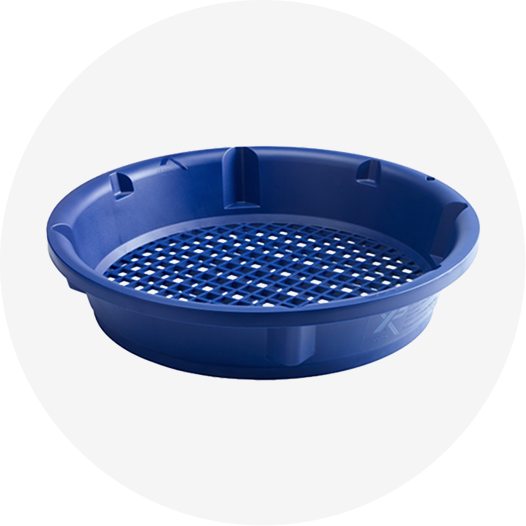
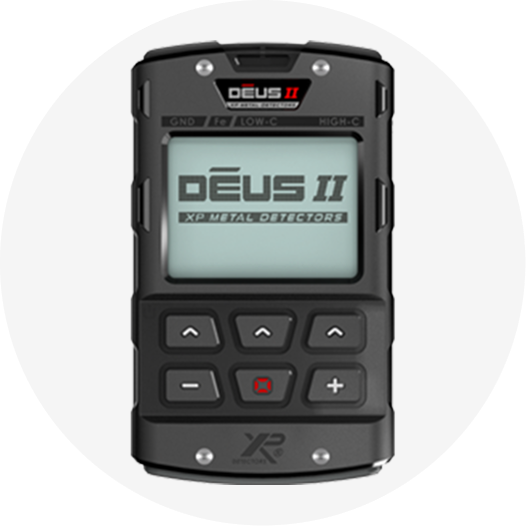
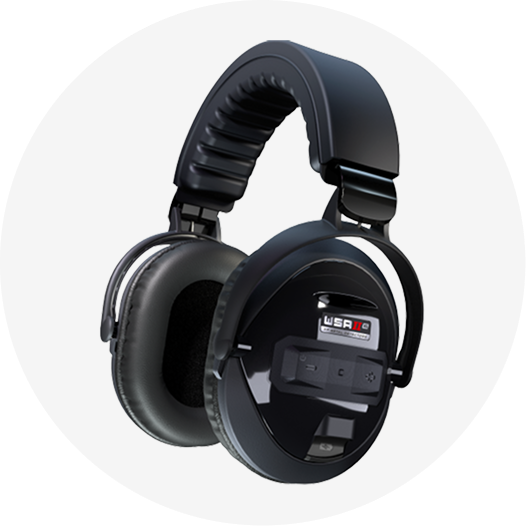
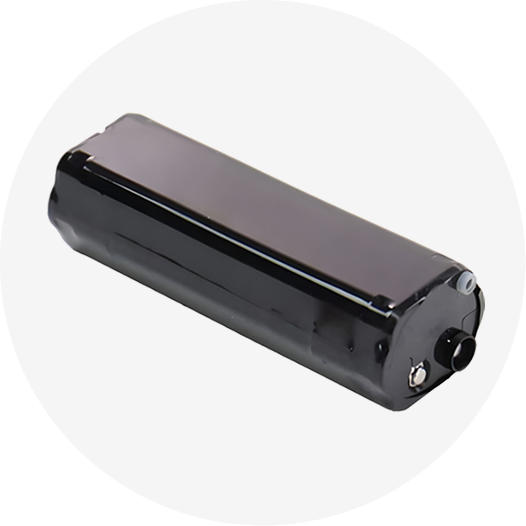
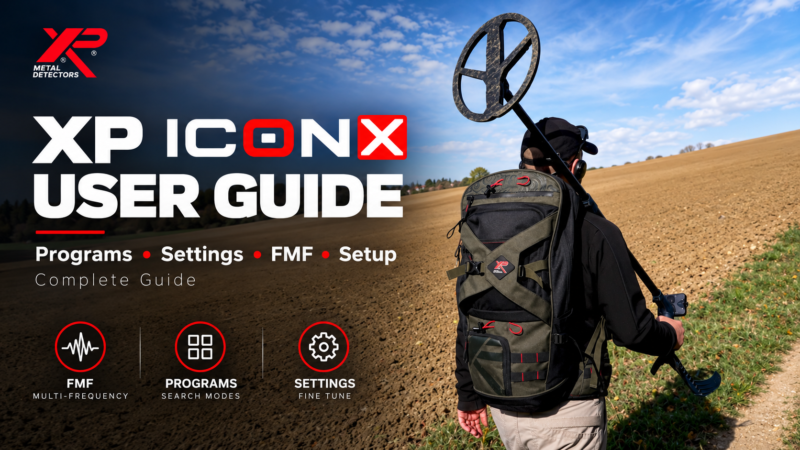
The XP ICON X is a lightweight wireless multi-frequency metal detector developed and manufactured in France by XP Metal Detectors. It combines XP’s FMF simultaneous multi-frequency platform with six factory programs, six user-program slots, three selectable single frequencies, detailed audio controls and a waterproof architecture designed for land, beach and shallow-water detecting.
This guide is designed as a practical reference for setting up and using the ICON X in real field conditions. It explains the controls, programs, sensitivity, tones, discrimination, Notch, FMF frequency choices, ground balance, Reactivity, Pinpoint, wireless accessories, beach use, charging, troubleshooting and the main differences between ICON and ICON X.
The article is based primarily on the official XP ICON / ICON X user manual supplied with the device and is cross-checked against XP’s current product information. Where current XP web specifications differ from the supplied manual, the difference is identified rather than silently reconciled.
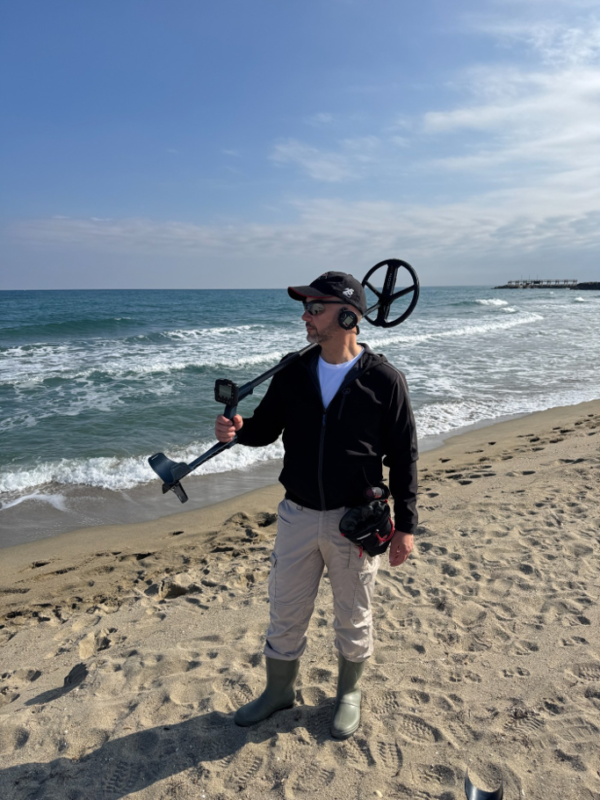
Table of Contents
XP ICON X at a Glance
| Feature | ICON X |
| Detection technology | FMF simultaneous multi-frequency; automatic/manual frequency shift |
| Single-frequency choices | 4, 14 and 28 kHz on ICON X |
| Factory programs | 6 |
| User programs | 6 – one custom slot linked to each factory program |
| Sensitivity | 25 levels |
| Reactivity | 7 levels: 0-6 |
| Tones | Pitch, 2, 3, 5 and Full Tones |
| Audio types | PWM and SQUARE; ICON X also offers enhanced audio-response options |
| Ground balance | Grab, Tracking, Standard and Pro modes |
| Notch | 28-segment Multi-Notch |
| Waterproofing | Up to 5 m with the required underwater setup; see the dedicated diving section |
| Battery life | About 11 h for the remote and coil under the manual’s stated conditions |
| Weight | Approx. 710 g without the remote on the stem; manual lists ~830 g total with batteries |
What Is the XP ICON X?
ICON X is the more adjustable model in the ICON range. It keeps the simplified user interface and wireless architecture of the standard ICON, but adds more factory programs, more Reactivity levels, finer discrimination resolution in the ferrous range, an extra 28 kHz single-frequency option and additional audio-response choices. The result is a detector that can be simple at startup but still gives experienced users room to tune the machine for contaminated ground, mineralized soil, parks and beaches.
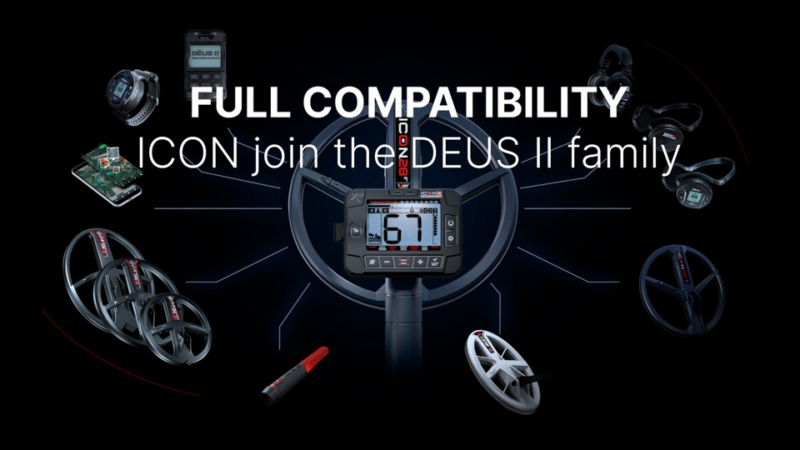
XP positions the ICON range as a gateway into its wider ecosystem. The ICON X can work with compatible FMF coils, the HF2 Search Coil, XP wireless headphones, the MI-6 pinpointer and the Go Terrain app, which makes the platform more expandable than a closed detector package.
XP ICON vs XP ICON X: Key Differences
| Specification | ICON | ICON X |
| Factory + user programs | 3 + 3 | 6 + 6 |
| Single frequencies | 4 and 14 kHz | 4, 14 and 28 kHz |
| Reactivity | 1-5 | 0-6 |
| Ferrous-area discrimination resolution | 1 point | 0.5 point |
| Audio response | 3 standard settings | 6 settings including enhanced response |
| Stem | S-Telescopic Lite | S-Telescopic Lite Carbon |
| Approx. weight without remote on stem | ~735 g | ~710 g |
If you are comparing ICON X with the standard XP ICON, the main differences are in the number of programs, single-frequency options, Reactivity range, discrimination resolution and audio flexibility rather than a completely different detection platform.
Components and Assembly
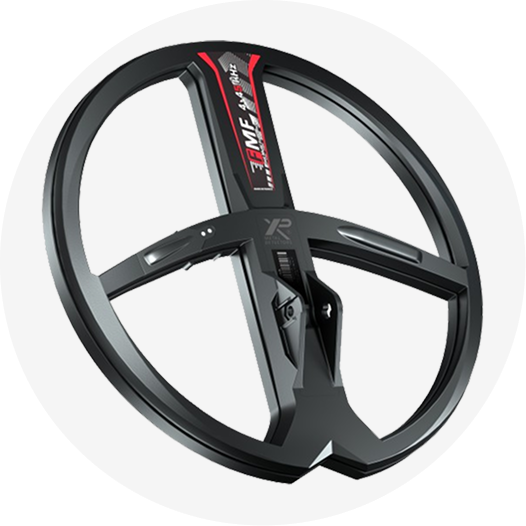
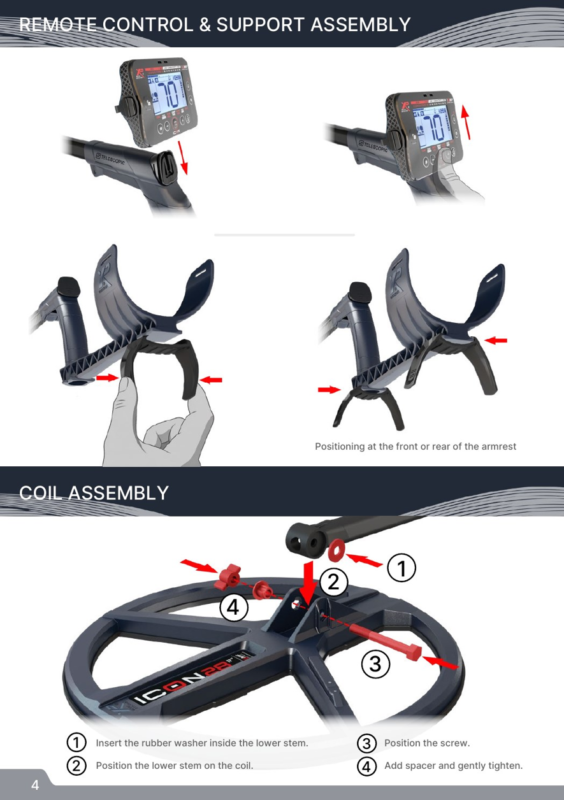
The ICON X follows XP’s modular wireless layout: search coil, telescopic stem, removable remote control and compatible audio output. The supplied coil is already paired with the remote, so normal first-time setup is mostly mechanical. The lower stem uses a rubber washer at the coil mount, followed by the screw and spacer, while the remote slides onto its support. The armrest support can be positioned to suit the user’s forearm length.
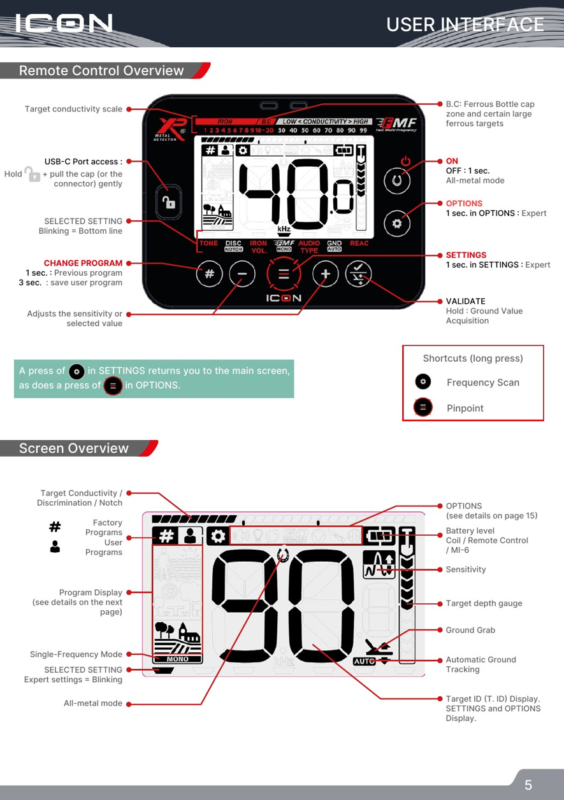
Remote Control and Screen: What Each Area Means
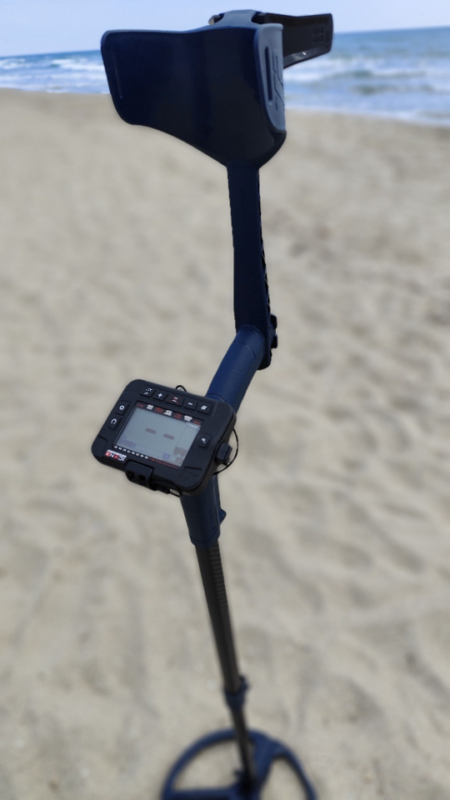
The remote control is designed around direct access to the most-used settings. The display shows the active program, target ID, conductivity/discrimination information, sensitivity, target-depth gauge, battery status, ground information and whether the detector is in single-frequency or all-metal mode. The settings button cycles through detection controls, while the options button opens system functions such as volume, backlight, updates, Go Terrain, headphone pairing, MI-6 pairing and coil management.
Long-press shortcuts reduce menu navigation in the field. The manual identifies long-press shortcuts for Frequency Scan and Pinpoint, while the validate key is also used for Ground Grab. Becoming familiar with these shortcuts is one of the fastest ways to make Xp ICON X feel simple rather than menu-heavy.
Quick Start: First Setup in the Field
Charge the remote, coil and headphones before the first session. Turn on the remote control, choose the factory program that best matches the site and adjust the speaker or headphone volume to a comfortable level. When the detector starts, it automatically performs a frequency scan, which helps it select a cleaner operating channel before you begin sweeping.
Before serious detecting, keep the coil parallel to the ground and as close to the surface as practical without striking it. On mineralized or variable ground, perform a Ground Grab before you begin. Practice with known objects in a clean test area so you can hear the relationship between target conductivity, audio tone and target ID before relying on the detector in a more complex site.
The Six Factory Programs on ICON X
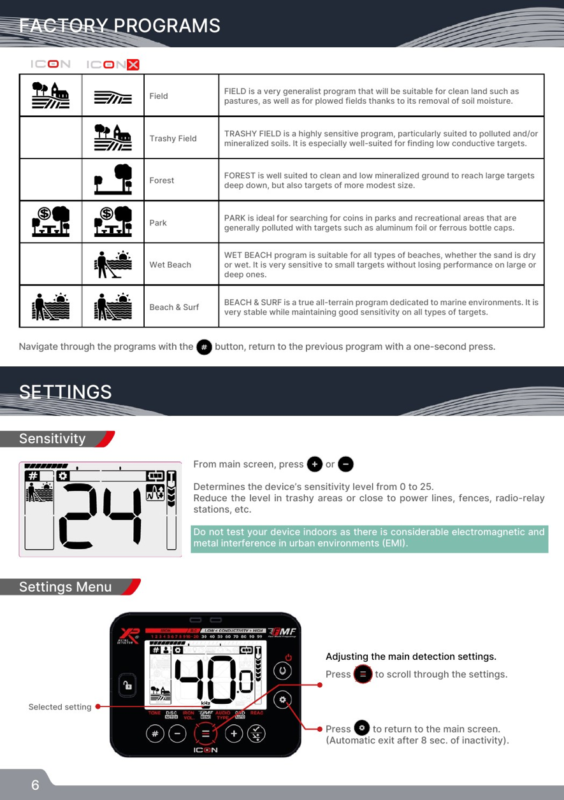
Xp ICON X has six factory programs. Each program changes several underlying parameters together, so choosing the correct starting program is usually more effective than changing individual settings immediately. The table below keeps XP’s intended use for each program but translates it into a practical starting point.
| Program | Best starting environment | Practical use |
| Field | Clean ground, pastures and ploughed fields | General-purpose starting program. |
| Trashy Field | Polluted and/or mineralized soil | Sensitive to low-conductive targets and useful where target separation matters. |
| Forest | Clean, low-mineralized ground | Suited to large/deep targets while retaining response to medium targets. |
| Park | Parks and recreational areas | Designed for sites with foil and ferrous bottle-cap contamination. |
| Wet Beach | Dry or wet beach sand | High sensitivity to small targets while retaining performance on larger/deeper targets. |
| Beach & Surf | Marine environment, surf and variable salinity | Stable all-terrain marine program with broad target sensitivity. |
Sensitivity
Sensitivity runs from 0 to 25. Higher sensitivity can improve response to weak targets, but it also increases susceptibility to electromagnetic interference, nearby metal and difficult ground. If the detector becomes unstable near power lines, electric fences or radio sources, reduce sensitivity rather than assuming maximum
sensitivity is always the deepest setting. XP also warns that indoor testing is a poor benchmark because buildings contain large amounts of metal and electrical interference.
Tones: 2, 3, 5, Pitch and Full Tones
The tone system determines how target conductivity is translated into sound. Multi-tone modes divide the conductivity scale into a small number of audio categories, while Full Tones maps more of the target-ID range to changing pitch. Pitch mode works differently: signal strength drives both volume and pitch, giving a dynamic response that many users find fast and expressive.
| Mode | How it behaves | When it helps |
| 2 / 3 / 5 Tones | Simple conductivity groups | Good for users who prefer clear audio categories. |
| Pitch | Signal strength changes pitch and volume | Useful for a dynamic, fast-feeling response. |
| Full Tones | Tone rises with target conductivity | Useful when you want more audio information from the ID scale. |
Discrimination and Target ID
Discrimination can be adjusted from -6 to 99 on inland programs, while beach programs use 0 to 99. Raising the discrimination threshold progressively rejects targets below the selected conductivity value. XP’s manual also explains that rejected ferrous targets do not display a target ID, so excessive discrimination can remove information that would otherwise help you interpret a mixed or questionable signal.
Use discrimination as a site-management tool rather than a “valuable target” filter. Conductivity overlaps between different objects, and depth, soil, target orientation and nearby metal can change the reading. For difficult targets, sweep from more than one direction and listen for repeatability instead of relying on a single ID number.
Notch and Bottle-Cap Rejection
Notch rejects selected conductivity windows rather than everything below a threshold. This is useful when one recurring unwanted target occupies a narrow ID range. The manual also identifies a ferrous bottle-cap behavior on the conductivity scale and explains that the Notch settings can be used to make this contamination easier to reject in multi-frequency mode.
Avoid building an overly aggressive Notch pattern at a new site. Start with the factory program, identify the trash that is genuinely repetitive, and only then reject the narrowest useful range. This helps reduce the risk of silencing wanted targets that share similar conductivity.
Iron Volume
Iron Volume controls the low-pitched audio assigned to signals below the discrimination setting. A value of 0 silences those low tones, while the upper end of the scale makes them more prominent. Keeping some iron audio can be useful in contaminated ground because it gives context about the amount of ferrous material around a non-ferrous target.
FMF Multi-Frequency and Single Frequencies
All factory programs use XP’s FMF simultaneous multi-frequency technology. ICON X also lets you work in single-frequency mode on inland programs when a difficult electromagnetic environment compromises multi-frequency operation or when you deliberately want to emphasize a specific response range. ICON X offers 4, 14 and 28 kHz single-frequency choices, with 28 kHz being the additional option not available on the standard ICON.
| Frequency mode | Practical interpretation |
| FMF | General use across mixed targets and changing ground; default basis of factory programs. |
| 4 kHz | Lower-frequency option; can suit higher-conductive or larger targets in some conditions. |
| 14 kHz | Balanced general-purpose single frequency. |
| 28 kHz | Higher single-frequency option on ICON X; useful when greater response to smaller/lower-conductive targets is desired. |
Audio Type: PWM, SQUARE and Enhanced Response
PWM is XP’s traditional dynamic audio style, with harmonic content that changes with signal amplitude and therefore helps convey distance from the target. SQUARE has a softer, more fixed harmonic character, while volume still varies with target distance. ICON X expands the audio-type choices with enhanced audio-response settings and Stereo Audio Morphing, which can add a second sound to surface targets to help recognize proximity.
Ground Balance: Standard, Pro, Grab and Tracking
Ground mineralization can reduce depth and create false responses. XP recommends beginning with the default ground behavior and performing a Ground Grab to calibrate the detector to the site. In Standard ground mode, the detector rejects the ground zone above the selected value while using multi-frequency analysis to recover targets that might otherwise be masked.
Pro ground mode is an expert setting because it intentionally allows more of the ground response to remain audible. On inland programs this can expose deep responses that are masked by mineralization, while on beach programs it can make a wider ground zone audible. That extra information comes with more noise and requires experience to interpret.
Tracking continuously estimates the average ground value and can work well when mineralization is relatively uniform and changes slowly. XP specifically warns that Tracking is less suitable where old human activity has created rapidly changing ground effects; in those conditions, the manual recommends preferring Grab.
Reactivity: Target Separation vs Maximum Raw Depth
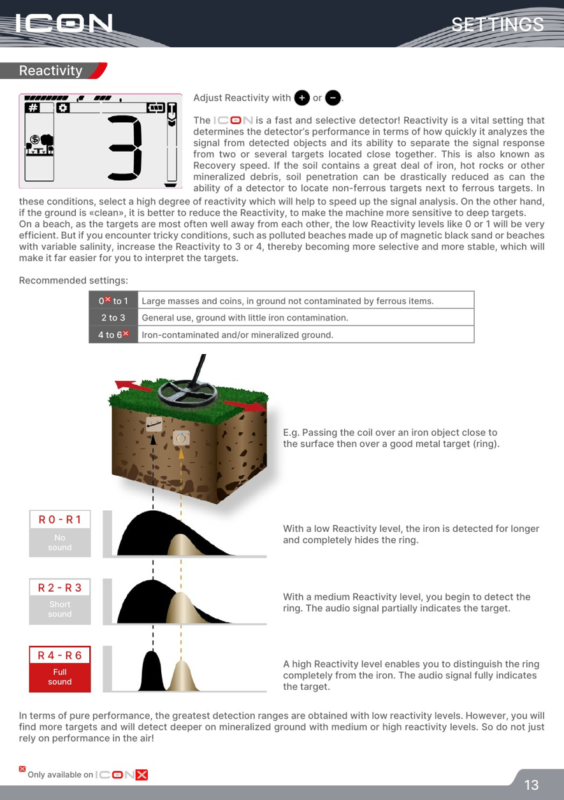
Reactivity is one of the most important Xp ICON X controls. It determines how quickly the detector analyzes one signal and becomes ready for the next. Low Reactivity lengthens the response and can maximize detection range in clean ground, while higher Reactivity shortens the response and improves separation when non-ferrous targets sit close to iron, hot rocks or other mineralized debris.
| Reactivity | Manual guidance |
| 0-1 | Clean ground; large targets and coins; maximum raw range when target spacing is generous. |
| 2-3 | General use; light iron contamination; balanced starting point. |
| 4-6 | Iron-contaminated and/or mineralized ground; stronger target separation and stability. |
Pinpoint Mode
Pinpoint is a non-motion mode: the coil can remain still above a target while the audio and visual response increase as you approach the target center. The manual recommends calibrating the threshold with the coil just off the ground and to the side of the target, then moving across the area to find the strongest and highest-pitched response at the center of the coil. Re-tuning near the target narrows the detection field for more precise recovery.
Saving a User Program
Xp ICON X lets you modify a factory program and save a custom version. The manual states that one user program can be created for each factory program, giving six custom slots on ICON X. This is useful for keeping a preferred park setup, a quiet beach setup or a high-Reactivity contaminated-ground setup without changing the factory program itself.
Wireless Headphones and the MI-6 Pinpointer
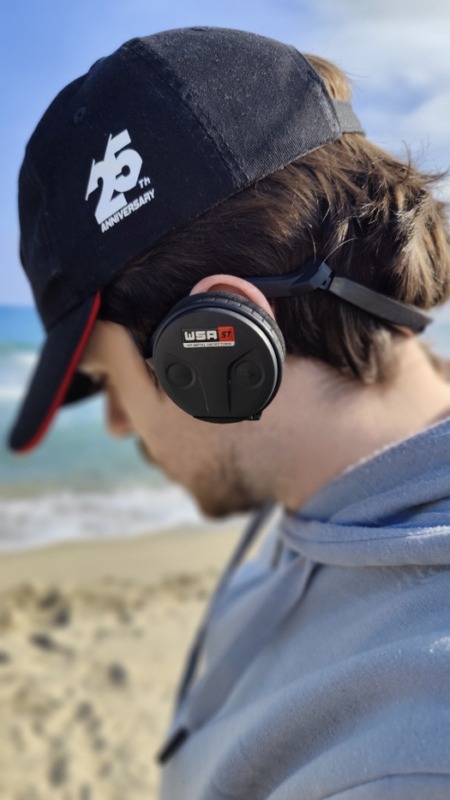
Compatible XP wireless headphones can be paired from the Options menu and then switch on and off with the detector. XP recommends moderate listening levels; the manual specifically advises level 5 or below for hearing protection.
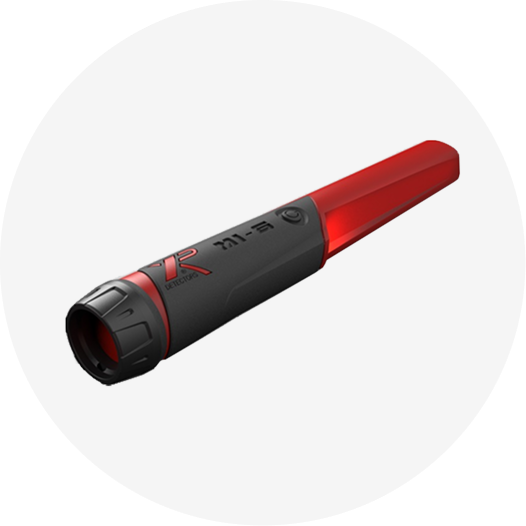
The XP MI-6 pinpointer can also pair with Xp ICON X. When connected, its audio and target-strength information are sent through the detector system. The manual also includes a lost-accessory search function that can make a paired MI-6 ring and flash remotely within the stated range even when it is switched off.
Pairing and Selecting Search Coils
The original coil is already paired. To add another compatible coil, select a free coil slot and enter pairing mode. XP recommends automatic pairing: once serial-number entry mode is active, place the new coil on charge and it sends its serial number to the remote. Manual serial-number entry is also available. After pairing, coils can be selected from the remote without repeating the first-time process.
For users who want a smaller high-frequency option, Detectors Shop also carries the HF2 Search Coil, and XP’s official documentation lists HF2 among the FMF ecosystem coils compatible with the ICON range.
Go Terrain and Software Updates
The Go Terrain app can receive target data from the detector, map a route with the phone’s GPS and record detected targets along a search path. The remote also supports software updates through USB-C and an internet-connected computer, allowing XP to deliver firmware improvements and new functions over time.
For firmware instructions and the latest updater, use the official XP updates page.
Beach, Salt Water and Underwater Use
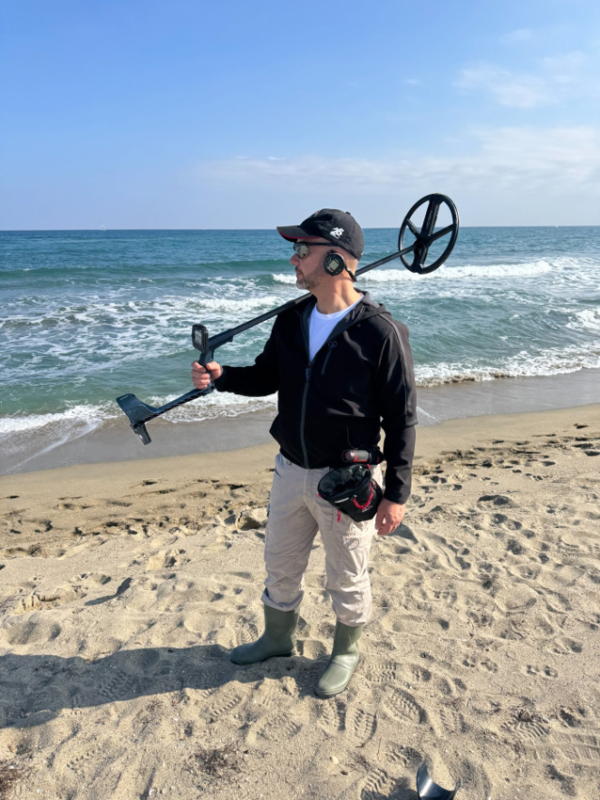
Xp ICON X includes two dedicated marine programs: Wet Beach and Beach & Surf. Wet Beach is designed for dry or wet sand and is especially sensitive to small targets, while Beach & Surf is intended as a stable all-terrain marine program for conditions that can include changing salinity. On beaches, low Reactivity can work well when targets are widely spaced, but the manual recommends increasing Reactivity when black sand, trash or variable salinity makes the detector difficult to interpret.
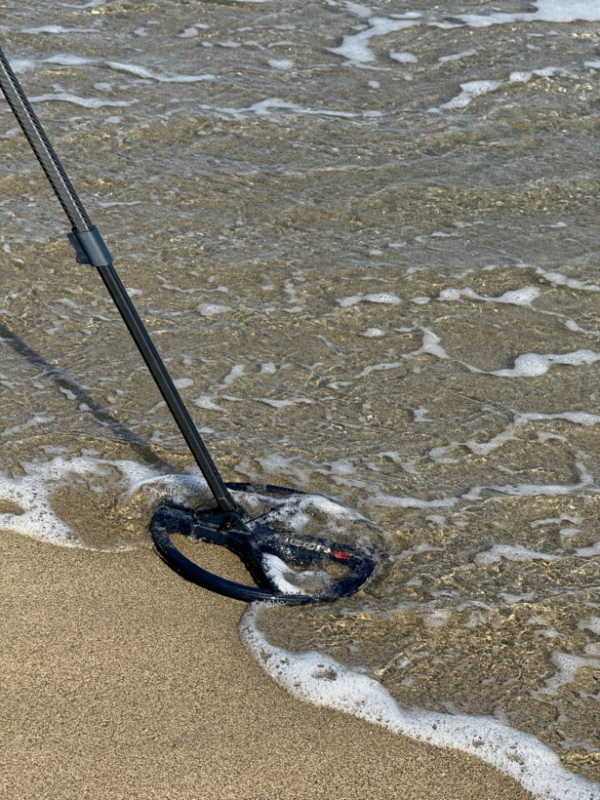
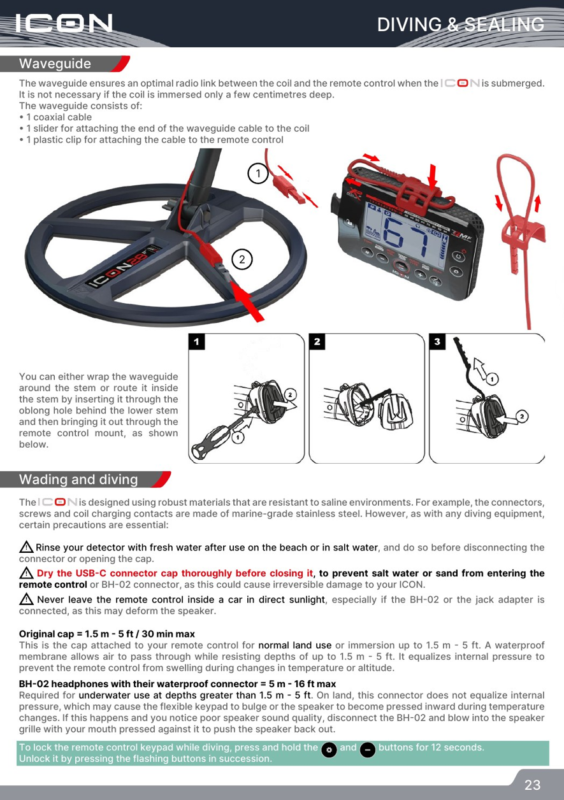
Waterproofing needs one important distinction. With the original remote-control cap, the manual specifies immersion up to 1.5 m for a maximum of 30 minutes. For deeper underwater use up to 5 m, the manual requires the BH-02 waterproof connector/headphones and a waveguide so the coil and remote maintain an effective radio link underwater. After salt-water use, rinse the detector with fresh water before disconnecting the connector or opening the cap, and dry the USB-C cap completely before closing it.
Battery Life, Charging and Storage
The supplied manual lists about 11 hours for the remote control and about 11 hours for the ICON28 coil in multi-frequency mode. The coil can reach longer runtimes in some single-frequency conditions. The manual lists approximately four hours for charging the remote, headphones and coil; XP’s current product page lists approximately three hours. Because these two official references differ, publish a conservative “approximately 3-4 hours” statement or verify the latest firmware/hardware specification immediately before publication.
For long-term battery health, XP recommends not storing LiPo batteries completely empty or fully charged for long periods. The manual suggests storing them around 40-80% charge and checking them periodically during extended storage. Use a certified 5 V USB power supply that meets XP’s stated requirements.
Troubleshooting Common ICON X Problems
| Problem | Likely cause | What to try |
| Unstable / false signals | Sensitivity too high, EMI, storm activity, nearby detector, incorrect ground setting, heavy iron contamination | Lower sensitivity; run Frequency Scan; try single frequency; move away from interference; perform Ground Grab; increase Reactivity in heavy contamination. |
| Coil does not switch on | Wrong coil selected, pairing problem, discharged battery | Select the correct coil, re-pair it, recharge and check the charging source. |
| Headphones power on but no target audio | Wrong coil/headphone pairing or firmware mismatch | Re-select the correct coil/headphones; re-pair; update the remote and headphones to compatible versions. |
| Very noisy beach | Black sand, variable salinity, excessive sensitivity | Use a beach program, perform ground setup, reduce sensitivity and increase Reactivity when needed. |
XP ICON X Technical Specifications
| Specification | Official-manual value / note |
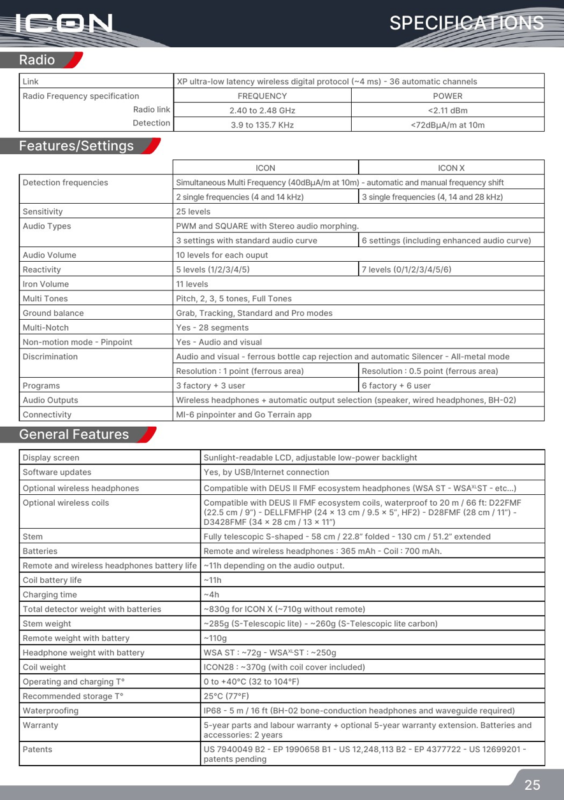
| Wireless protocol | XP ultra-low-latency digital protocol (~4 ms), 36 automatic channels |
| FMF / radio detection range | Detection specification in the manual: 3.9 to 135.7 kHz radio-frequency range; ICON X mono choices 4, 14, 28 kHz |
| Display | Sunlight-readable LCD with adjustable low-power backlight |
| Sensitivity | 25 levels |
| Reactivity | 7 levels (0-6) |
| Iron volume | 11 levels |
| Notch | 28 segments |
| Programs | 6 factory + 6 user |
| Compatible coils | D22FMF, HF2 (DELLFMFHP), D28FMF, D3428FMF listed in the manual |
| Stem | S-shaped telescopic; about 58 cm folded / 130 cm extended |
| Remote battery | 365 mAh |
| Coil battery | 700 mAh |
| Battery life | ~11 h remote; ~11 h coil in multi-frequency |
| Remote weight | ~110 g |
| ICON28 coil weight | ~370 g with cover |
| Operating / charging temperature | 0 to +40 C |
| Recommended storage temperature | 25 C |
| Waterproofing | IP68; up to 5 m with BH-02/waveguide underwater configuration |
| Warranty in supplied manual | 5-year parts and labour with registration/terms; batteries and connectors 2 years; optional extension described by XP |
Who Is the XP ICON X For?
Xp ICON X is well suited to users who want a light wireless detector that can be switched on and used with factory programs, but that also offers enough control to grow into more technical detecting. Its six programs cover clean fields, contaminated sites, parks and marine environments, while the wider Reactivity range and 28 kHz mono option give the X model more flexibility than the standard ICON.
It should not be presented as a ground scanner, long-range locator or a machine with a guaranteed fixed detection depth. XP does not publish one universal maximum target depth for ICON X because depth changes with target size, conductivity, coil, soil mineralization, salinity, EMI, settings and sweep technique.

Frequently Asked Questions
What is the difference between XP ICON and ICON X?
ICON X has 6 factory + 6 user programs, 4/14/28 kHz mono options, Reactivity 0-6, finer ferrous-area discrimination and more audio-response settings. The standard ICON has fewer programs and settings while using the same broader FMF platform.
What is the best XP ICON X program for the beach?
Wet Beach is the starting choice for dry or wet sand, while Beach & Surf is designed for marine environments and surf conditions. Final settings should be adjusted for black sand, salinity, trash and local EMI.
Is XP ICON X waterproof?
Yes, but the underwater setup matters. The supplied manual specifies the original remote cap for up to 1.5 m / 30 minutes and requires the BH-02 waterproof connector/headphones plus the waveguide for deeper use up to 5 m.
Which single frequencies does ICON X have?
ICON X offers 4, 14 and 28 kHz single-frequency choices in addition to FMF multi-frequency operation.
How long does the XP ICON X battery last?
The supplied manual lists about 11 hours for the remote and about 11 hours for the coil in multi-frequency operation. Runtime varies with audio output, frequency mode and battery condition.
Does ICON X work with the MI-6 pinpointer?
Yes. The MI-6 can pair with the detector so its audio and target-strength information are integrated with the XP wireless system.
Can ICON X use DEUS II FMF coils?
XP lists ICON / ICON X as compatible with key DEUS II FMF ecosystem coils, including D22FMF, D28FMF, D3428FMF and HF2 in the supplied manual.
What Reactivity setting should I use?
Use low values in clean ground when targets are well separated, 2-3 for general detecting, and higher values in iron-contaminated or mineralized ground when target separation is more important.
How deep can XP ICON X detect?
XP does not publish one fixed maximum target depth. Actual depth depends on target size and conductivity, soil, mineralization, salinity, coil, settings, EMI and sweep technique.
How do I reduce false signals on ICON X?
Lower sensitivity, run Frequency Scan, move away from EMI, perform Ground Grab, try a suitable single frequency and increase Reactivity if the ground is heavily contaminated.
Conclusion
The XP ICON X combines a simple startup experience with a surprisingly complete set of field controls. The best way to learn it is to start with the correct factory program, perform ground setup when needed, keep sensitivity stable rather than maximized, and then learn Reactivity, tones and discrimination one setting at a time.
For long-term SEO value, keep this guide updated when XP releases firmware changes or revises the product specification. Add a visible “Last updated” date after meaningful updates and refresh the screenshots only when the interface or operating procedure changes.
Official Sources and Further Reading
XP ICON / ICON X official product page
