










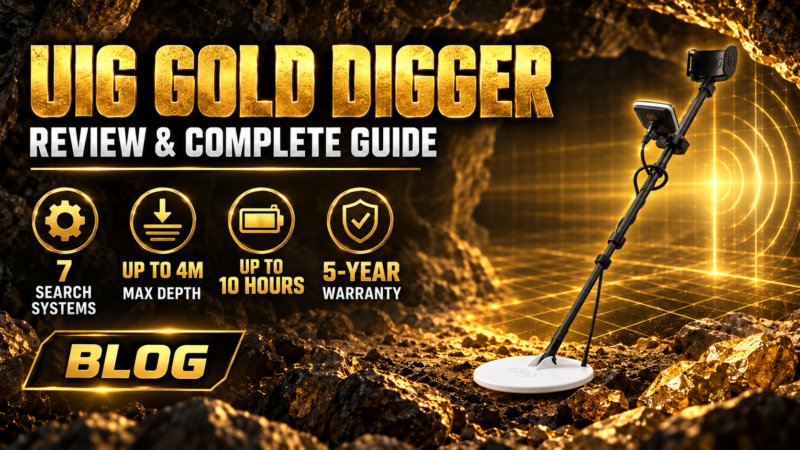
UIG Gold Digger Review
The UIG Gold Digger is a professional VLF metal detector designed for prospectors searching for buried gold, raw gold, gold veins, precious metals, coins, and other metallic targets underground. Unlike a basic single-mode detector, the UIG Gold Digger combines seven specialized search systems designed to handle different target sizes, depths, and ground conditions.
One of the device’s main strengths is its ability to operate in challenging terrain, including wet soil, mineral-rich ground, and areas containing highly mineralized rocks such as basalt and granite. Its automatic ground calibration technology helps reduce interference from soil mineralization and improves target identification during field searches. According to the official UIG Gold Digger documentation, the detector can reach depths of up to 4 meters, depending on target size, soil conditions, and search method.
The detector also features a high-resolution color touchscreen, adjustable sensitivity, Metal ID, precious and non-precious metal discrimination, target depth indication, ground calibration, and a dedicated Pointer system for accurately locating the center of a detected target.
In this complete UIG Gold Digger review, we will examine all seven search systems individually, explain how the detector works, show how to calibrate and use it correctly, explore its settings and discrimination features, review its accessories, and include practical field-test videos to provide a complete reference for anyone considering or already using the device.
The UIG Gold Digger is available from Detectors Shop, the official distributor in Dubai, with a 5-year warranty provided by Detectors Shop.
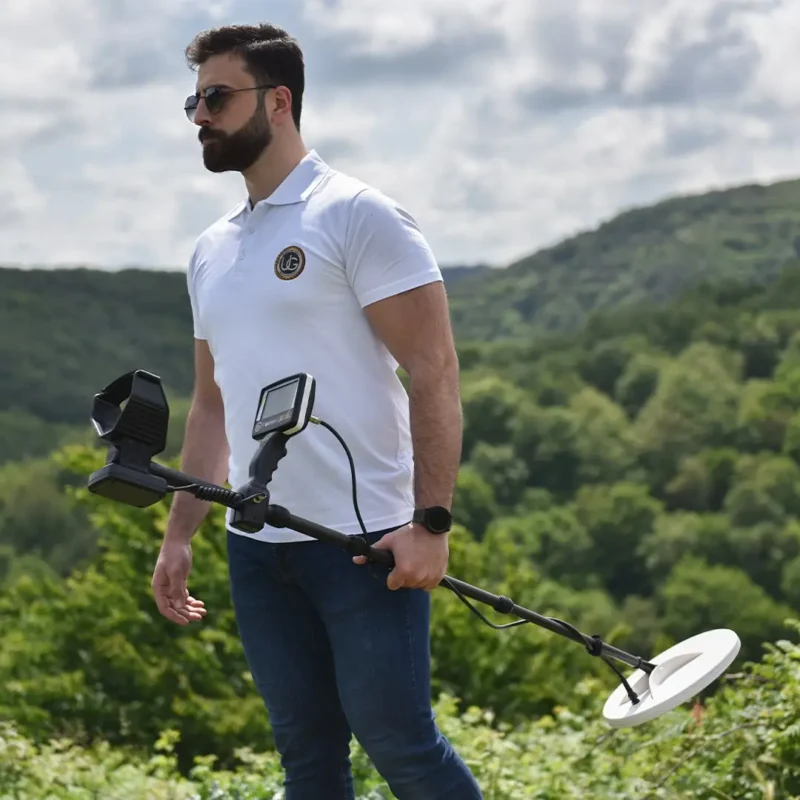
Table of Contents
UIG Gold Digger at a Glance
Before exploring each search system in detail, here is a quick overview of the most important UIG Gold Digger specifications and capabilities.
| Feature | UIG Gold Digger |
|---|---|
| Detection Technology | Advanced automatic VLF technology |
| Search Systems | 7 specialized search systems |
| Maximum Depth | Up to 4 meters underground |
| Main Targets | Buried gold, raw gold, gold veins, precious metals, coins and metallic targets |
| Search Modes | General Search, Small Targets, High Depth, Mineral Soil, Smart Scan and Custom |
| Target Location | Dedicated Pointer system for pinpointing the target center |
| Metal Identification | Numerical Metal ID |
| Metal Discrimination | Precious metals, possible gold and non-precious metals |
| Ground Calibration | Automatic ground calibration for mineralized soil |
| Mineralized Ground | Designed to operate in wet, mineral-rich and highly mineralized terrain |
| Display | High-resolution color touchscreen |
| Sensitivity Control | Adjustable sensitivity levels |
| Iron Rejection | Ignore Iron function |
| Search Coil | Water-resistant DD13 search coil |
| Languages | English, Arabic, German, French, Spanish and Portuguese |
| Warranty | 5-year warranty from Detectors Shop |
| Official Distributor | Detectors Shop – Dubai, UAE |
The UIG Gold Digger combines six primary detection modes with a dedicated Target Location (Pointer) System, creating seven search systems in total. The six main modes are designed for different situations, ranging from small targets and raw gold to deeper large targets and highly mineralized soil.
The detector also provides Metal ID, sensitivity adjustment, depth indication and visual metal-discrimination indicators, while its Pointer mode helps the operator identify the center of a detected target more precisely before excavation.
How Does the UIG Gold Digger Work? VLF Technology & Ground Calibration
The UIG Gold Digger operates using an advanced VLF (Very Low Frequency) detection system designed to detect and identify metallic targets underground. According to the official manual, the system can distinguish between precious and non-precious metals while maintaining stable operation across different ground conditions.
Unlike a detector that relies on one fixed search configuration, the UIG Gold Digger combines its VLF detection technology with several specialized search modes. Each mode automatically adjusts the device’s search settings according to the selected task, whether the operator is looking for small targets, deeper objects, targets in mineralized soil, or a specific type of metal.
Ground Calibration
Ground conditions can significantly affect metal-detector performance, especially in areas containing mineral salts, basalt, granite, or other highly mineralized rocks. The UIG Gold Digger includes a dedicated ground calibration system intended to reduce this interference and improve search stability.
The manual states that the detector is designed to work in humid soil, mineral-rich terrain, and areas containing mineralized rocks. Its calibration technology is intended to help the device deal with difficult geological conditions that can otherwise generate unwanted or misleading signals.
Before searching in an area with strong ground interference, the user can perform a calibration procedure:
- Turn on the UIG Gold Digger.
- Open the Calibration mode.
- Press the physical calibration button located beneath the detector handle.
- Raise and lower the search coil several times above the ground.
- Continue until the calibration indicator on the screen is completed.
- Once calibration is finished, press OK to move directly to the search screen.
The manufacturer specifically recommends ground calibration when searching in soil containing high levels of mineral salts or when strong ground interference is present.
Why Calibration Matters
Correct calibration helps the detector adapt to the conditions of the search area before target detection begins. This is particularly important when prospecting in difficult terrain, where natural mineralization may otherwise interfere with target signals.
For the best results, calibration should therefore be considered an essential preparation step whenever the soil is highly mineralized or the detector begins producing unstable responses.
Important: the official manual identifies the UIG Gold Digger as a VLF detector, but it does not specify the exact operating frequency. For that reason, this guide does not assign a frequency value that is not provided by the manufacturer.
UIG Gold Digger 7 Search Systems Explained
One of the most important features of the UIG Gold Digger detector is its seven specialized search systems. Instead of relying on a single detection mode for every situation, the detector allows the operator to select a system according to the target size, expected depth, soil conditions, or type of metal being searched for.
The first six systems are detection modes, while the seventh is the Target Location (Pointer) System, which is used after detecting a target to determine its center more accurately.
1. General Search System
The General Search System is the most versatile mode in the UIG Gold Digger. It is designed to search for a wide range of metallic targets without limiting the detector to one particular target size.
This makes General Search a practical starting mode when the operator does not know exactly what may be buried in the search area. According to the official manual, it can respond to both large and small targets, making it suitable for general-purpose exploration.
2. Small Targets Search System
The Small Targets Search System is specifically designed for smaller metallic objects that require greater sensitivity.
The manufacturer lists applications including:
- Raw gold
- Gold veins
- Small gold particles
- Small metallic objects
- Gold and metal coins
This mode is particularly relevant for prospectors whose primary objective is natural gold prospecting or detecting small valuable targets rather than searching only for large buried objects.
UIG Gold Digger Gold Nuggets Field Test
A practical demonstration can help explain how the detector behaves when searching for small gold targets.
UIG Gold Digger field test for gold nuggets and small gold targets by Detectors Shop.
This Detectors Shop video specifically demonstrates the UIG Gold Digger in the context of detecting gold nuggets.
3. High Depth Search System
The High Depth Search System is intended for larger targets located deeper underground.
Instead of prioritizing very small targets close to the surface, this mode is designed for situations where the operator expects a large buried metallic target at greater depth.
The official manual specifically describes this system as suitable for large targets such as buried treasures.
Target size remains extremely important when discussing detection depth. A large metallic object can generally produce a stronger response than a very small object under the same conditions, which is why the High Depth mode and Small Targets mode serve different search purposes.
4. Mineral Soil Search System
Highly mineralized ground is one of the most challenging environments for a metal detector.
The Mineral Soil Search System was developed for searching in areas with strong ground noise, mineral salts, impurities, and difficult mineralized soil.
It works together with the UIG Gold Digger’s ground-calibration capabilities to help maintain more stable detection in challenging terrain.
The manufacturer states that the detector is designed for conditions including mineral-rich ground and mineralized rocks such as granite and basalt, which can create significant interference for metal-detection equipment.
5. Smart Scan System
The Smart Scan System attempts to combine two normally competing objectives: detecting at greater depth while maintaining sensitivity to relatively small targets.
According to the UIG Gold Digger manual, Smart Scan is designed to reach greater depths without losing the ability to detect small-sized targets.
This makes Smart Scan an especially useful search mode when the operator does not know whether the expected target is small, large, shallow, or relatively deep.
6. Custom Search System
The Custom Search System is one of the most distinctive features of the UIG Gold Digger because it gives the user greater control over which metals should be detected or ignored.
The system contains 20 metal-saving positions. The operator can expose a sample metal to the search coil, allow the detector to identify it, and then configure the device to search for that metal or exclude it.
Multiple metals can also be selected or ignored simultaneously.
This feature can be useful when the operator has a specific target type in mind and wants to reduce responses from unwanted metals.
7. Target Location System – Pointer
After a target has been detected, the Pointer System is used to determine its center more precisely.
When Pointer mode is activated, the operator passes the search coil over the detected area. As the coil approaches the target center, the device produces a progressively stronger sound while the visual indicator on the screen increases.
The point with the highest audio response and strongest visual indication represents the estimated center of the target.
This system is particularly useful before excavation because it can help reduce the size of the area that needs to be opened.
Which UIG Gold Digger Search Mode Should You Use?
| Search Situation | Recommended System |
|---|---|
| General exploration | General Search |
| Raw gold and small gold targets | Small Targets |
| Large targets at greater depth | High Depth |
| Mineralized or noisy soil | Mineral Soil |
| Mixed target sizes and depths | Smart Scan |
| Searching for or excluding specific metals | Custom Search |
| Locating the exact target center | Pointer |
The best search system therefore depends on what you are looking for and the conditions of the search area rather than one mode being universally better than all the others.
UIG Gold Digger Depth: Can It Really Reach 4 Meters?
One of the most searched questions about the UIG Gold Digger is its detection depth. According to the official UIG Gold Digger manual, the detector is rated to reach up to 4 meters underground. The manufacturer also states elsewhere in the manual that the detector may reach 4 meters or more for large, deeply buried ancient targets.
However, the 4-meter figure should be understood as a maximum-depth capability, not a guaranteed detection depth for every target.
The official documentation does not state that a small coin, gold nugget, or tiny piece of raw gold can be detected at four meters. Instead, the UIG Gold Digger provides different search modes specifically because target size, search purpose, and ground conditions require different settings.
How Target Size Affects UIG Gold Digger Depth
The UIG Gold Digger separates shallow or small-target detection from deep-target detection through dedicated search systems.
The Small Targets Search System is designed for targets such as:
- Raw gold
- Gold veins
- Small gold particles
- Metal coins
- Other small metallic objects
The High Depth Search System, on the other hand, is specifically designed for larger buried targets at significant depths.
This distinction is important when evaluating the advertised UIG Gold Digger 4m depth.
A user searching for small natural gold should therefore not interpret the 4-meter maximum as the expected depth for a tiny gold particle. The maximum-depth capability is primarily relevant to larger underground metallic targets when conditions are suitable.
Smart Scan and Deep Target Detection
The Smart Scan System offers another approach to depth.
According to the manufacturer, Smart Scan is designed to combine two capabilities simultaneously: reaching greater depths while maintaining the ability to detect relatively small targets.
This makes Smart Scan particularly useful when the operator does not know the exact size or depth of the expected target.
For a search area where both shallow and deeper targets may be present, Smart Scan can therefore be a practical alternative to selecting either Small Targets or High Depth mode exclusively.
Ground Conditions and Detection Depth
Ground conditions also play an important role in the detector’s performance.
The UIG Gold Digger includes a dedicated Mineral Soil Search System for areas containing strong ground noise, impurities, and mineral salts. The detector also provides ground calibration to help it operate in difficult mineralized terrain.
The manufacturer specifically mentions operation in:
- Humid soil
- Mineral-rich ground
- Soil containing mineral salts
- Basaltic terrain
- Granite
- Other sedimentary, metamorphic, and igneous rocks
Its calibration technology is designed to reduce the effect of these difficult ground conditions on target detection.
Search Technique Can Affect Detection Performance
Correct coil movement is also essential.
The UIG Gold Digger manual recommends keeping the search coil approximately 2–4 cm above the ground while maintaining it parallel to the ground surface.
The manufacturer also warns that improper scanning may result in missed targets or incorrect signals.
For optimal performance, the coil should remain close and parallel to the ground throughout the sweep. The manual specifically states that proper scanning can increase detection depth and improve responsiveness to small objects.
What Does “Up to 4 Meters” Actually Mean?
For the most accurate interpretation of the manufacturer’s specification: UIG Gold Digger has a manufacturer-rated maximum detection depth of up to 4 meters, with actual detection capability depending on the target, selected search system, ground conditions, calibration, and scanning technique.
Therefore:
| Search Target | Recommended Mode | How to Interpret Depth |
|---|---|---|
| Small gold particles | Small Targets | Prioritizes small-target sensitivity |
| Raw gold / gold veins | Small Targets | Designed specifically for natural gold targets |
| Coins | Small Targets / General Search | Depth varies according to the target and conditions |
| General metallic targets | General Search | Balanced general-purpose detection |
| Large buried metal targets | High Depth | Designed for greater detection depths |
| Unknown target size | Smart Scan | Combines depth with small-target response |
| Targets in mineralized soil | Mineral Soil | Optimized for difficult ground conditions |
For this reason, throughout this UIG Gold Digger review, we refer to 4 meters as the manufacturer’s stated maximum depth rather than presenting it as a fixed depth for every object.
UIG Gold Digger Metal Discrimination, Metal ID & Target Identification
forms of target information before excavation. Instead of producing only an audio response when metal is detected, the device combines Metal ID, visual metal discrimination, depth indication, audio response, and target pinpointing on its search interface.
These tools are designed to help the user evaluate a detected target and decide whether further investigation is worthwhile.
Metal ID System
When the search coil detects a metallic target, the Metal ID field displays a numerical identification value on the screen.
The identification number changes according to the type and response of the detected metal, giving the operator additional information that can be used alongside the device’s audio and visual indicators.
Metal ID should be treated as a target-identification aid rather than absolute proof of the exact metal underground. Ground mineralization, target orientation, size, depth, and nearby objects can all influence detector responses in real search conditions.
For this reason, experienced users should evaluate the complete target response rather than relying on only one number.
Visual Metal Discrimination
The UIG Gold Digger also uses three visual discrimination indicators to help classify detected metals.
| Indicator | Detection Meaning |
|---|---|
| Green | Indicates the presence of precious metals |
| Yellow | Indicates a high possibility of gold |
| Red | Indicates the presence of non-precious metals |
When the detector produces a yellow indication, an additional alert may appear indicating the possibility of gold.
This visual system allows the operator to quickly interpret the detector response while scanning without depending entirely on sound.
Precious vs Non-Precious Metal Detection
The discrimination system is particularly useful in areas containing unwanted metallic debris.
Instead of digging every response immediately, the user can combine:
- Metal ID
- Discrimination color
- Audio response
- Target depth indication
- Repeated scans from different directions
- Pointer confirmation
to build a clearer picture of the detected target.
For questionable targets, it is recommended to pass the search coil over the same location from more than one direction and check whether the target response remains consistent.
Ignore Iron Function
The UIG Gold Digger includes an Ignore Iron option within the Search Settings menu.
When activated, this feature is designed to reduce responses to iron targets, allowing the operator to concentrate more effectively on other metals.
This can be especially useful in areas containing large quantities of old iron fragments, nails, or other unwanted ferrous objects.
However, iron rejection should be used according to the search objective. When exploring an unknown archaeological or historical area, completely ignoring certain metals may also cause potentially interesting targets to be overlooked.
Target Depth Indicator
The UIG Gold Digger search screen also includes a Depth indicator.
Rather than displaying a fixed excavation depth in centimeters, the indicator provides a moving visual response that helps the operator understand whether the detected target is relatively closer to or farther from the ground surface.
This information becomes particularly useful when combined with the selected search mode and target response.
A strong, repeatable signal with a relatively shallow depth indication may represent a different search situation from a weak response detected in High Depth mode.
Combining Metal ID, Discrimination and Pointer
The most effective target-analysis workflow is to use the UIG Gold Digger’s identification tools together.
A practical sequence is:
- Detect the target during normal scanning.
- Observe the Metal ID number.
- Check the metal discrimination indicator.
- Review the approximate depth response.
- Sweep the target again from another direction.
- Activate the Pointer System.
- Locate the strongest signal and estimated target center.
- Begin excavation only after confirming a consistent response.
Using this method can help reduce unnecessary digging and provides more information about a target before excavation begins.
Watch the UIG Gold Digger in Action
For a practical demonstration of the UIG Gold Digger and its response during real detector use, watch this video from Detectors Shop:
The field videos included throughout this guide complement the technical information and show how the UIG Gold Digger behaves outside the specifications sheet.
UIG Gold Digger Settings & User Interface
The UIG Gold Digger user interface is designed to give the operator direct control over the detector’s main search functions while keeping important target information visible on the screen.
The device uses a high-resolution color touchscreen, allowing the user to access search modes, sensitivity settings, metal identification, depth information, calibration, audio controls, and general device settings from a central interface.
Main Search Screen
During detection, the main search screen displays several important elements at the same time:
- Sensitivity Level
- Selected Search Mode
- Metal ID
- Metal Discrimination Indicators
- Target Depth Indicator
- Pointer Target Center
- Battery Level
This layout allows the operator to monitor both the detector settings and the detected target response without constantly moving between different menus.
Sensitivity Adjustment
The Sensitivity setting controls how responsive the UIG Gold Digger is to metallic targets and surrounding conditions.
The sensitivity level can be increased or decreased directly from the search interface.
Higher sensitivity can improve response to smaller or weaker targets, but the ideal setting should always depend on the search environment. In highly mineralized or noisy terrain, excessive sensitivity may make the detector less stable.
For this reason, the best setting is not necessarily the maximum sensitivity level. The goal is to achieve a stable detector response while maintaining sufficient target sensitivity.
Automatic Search Mode Settings
When one of the UIG Gold Digger’s preset search modes is selected, the detector automatically adjusts relevant search parameters according to that mode.
The available modes include:
- General Search
- Small Targets
- High Depth
- Mineral Soil
- Smart Scan
- Custom Search
This makes the detector easier to operate because the user does not need to manually configure every parameter before beginning a search.
Beginners can select the search mode that best matches their objective, while more experienced users can use the Custom system and additional settings for greater control.
Ground Calibration Control
The interface includes a dedicated Calibration option.
Ground calibration is particularly important when searching in mineralized soil or areas producing strong interference. The UIG Gold Digger also includes a physical calibration button located beneath the handle, allowing the calibration procedure to be performed while holding the detector.
Correct calibration should be performed before searching whenever ground conditions cause unstable signals.
Ignore Iron
The Ignore Iron function allows the operator to reduce or disregard responses from iron targets.
This feature can be useful in areas contaminated with:
- Nails
- Iron fragments
- Old construction debris
- Ferrous scrap
If the main objective is gold, coins, or non-ferrous valuable metals, Iron Ignore can help reduce unnecessary responses.
However, it should be activated according to the search objective rather than used automatically in every location.
Search Channel Change
One particularly useful setting is the Channel Change function.
This feature is designed for situations where more than one UIG Gold Digger is operating in the same search area.
If two or more detectors interfere with each other, the operator can change the search channel to help reduce interference between the devices.
This can be especially useful during group field tests, professional prospecting operations, or demonstrations involving multiple detectors.
Audio Settings
The UIG Gold Digger provides a dedicated audio-control menu.
The user can:
- Adjust the main device volume
- Adjust the iron sound
- Mute or unmute the detector
Audio feedback is an important part of target interpretation, especially when combined with Metal ID and the visual discrimination indicators.
A practical search technique is to avoid relying on only one source of information. Instead, evaluate the sound, Metal ID, discrimination color, and repeatability of the signal together.
Screen Settings
The device also provides screen configuration options, including:
- Screen brightness adjustment
- Power-saving mode
Power-saving mode reduces screen brightness to help lower battery consumption during longer search sessions.
This can be particularly useful when operating the detector in the field for extended periods without immediate access to charging.
Supported Languages
The UIG Gold Digger supports six operating languages:
- English
- Arabic
- German
- French
- Spanish
- Portuguese
The language can be changed directly from the device settings menu, making the detector suitable for users across multiple international markets.
Time and Device Information
The settings menu also includes:
Time Settings
Allows the operator to adjust the device time.
Device Information
Provides access to information related to the detector and its operating system.
Physical Controls and Connections
In addition to the touchscreen interface, the UIG Gold Digger includes several physical controls and connection points.
These include:
- ON/OFF button
- Physical calibration button
- Search coil socket
- Headset socket
- Battery indicator
To switch on the detector, the power button is pressed for approximately two seconds.
The battery indicator also provides a warning when the battery becomes critically low. According to the official manual, when the battery level falls below approximately 10%, the main-unit indicator flashes green several times, indicating that the detector should be recharged.
UIG Gold Digger Interface: Designed for Field Use
The combination of touchscreen controls and physical buttons gives the UIG Gold Digger a practical interface for field operation.
The most important functions—search mode, sensitivity, Metal ID, discrimination, depth indication, calibration and Pointer—remain easily accessible during detection.
For new users, the preset search modes provide a simpler starting point. Experienced operators can then make greater use of sensitivity adjustment, iron rejection, Custom Search, ground calibration and channel selection as they become familiar with the detector.
How to Assemble and Set Up the UIG Gold Digger
Before starting a search, the UIG Gold Digger should be assembled correctly and adjusted to a comfortable operating position. Proper assembly is important because the position of the search coil, cable, battery, and detector shaft can directly affect how easily the device can be controlled during scanning.
1. Install the Search Coil
Begin by attaching the DD13 search coil to the lower shaft of the detector.
Use the supplied plastic screw to secure the coil to the lower shaft and tighten it sufficiently so that the coil remains stable while still allowing its angle to be adjusted when necessary.
The DD13 search coil is included with the UIG Gold Digger package.
2. Extend and Adjust the Detector Shaft
Extend the detector shaft until the overall length is comfortable for your height and searching position.
The detector should be adjusted so that you can hold it naturally without having to bend excessively or keep your arm under unnecessary strain.
After adjusting the shaft length, make sure all sections are securely fixed in position.
3. Wrap and Connect the Coil Cable
Wind the search coil cable carefully around the detector shaft.
The cable should follow the shaft without hanging loosely or moving excessively during scanning.
After wrapping the cable, connect it to the coil socket on the main unit and make sure the connection is secure. The official assembly instructions specify installing the coil, extending the arm, winding the cable around the arm, and connecting it to its designated socket.
4. Install the Battery
Attach the battery to the base of the armrest and connect it to the designated connection point on the detector.
Before beginning a field search, make sure the battery has been properly installed and adequately charged.
The manufacturer recommends starting a search with the battery fully charged.
5. Adjust the Armrest
Place your forearm inside the armrest and strap, then hold the detector handle naturally.
The correct position should allow your forearm to rest comfortably while maintaining a secure grip on the handle.
According to the operating instructions, the detector should feel like an extension of your arm, with the elbow positioned above the rear section of the armrest.
6. Adjust the Search Coil Angle
With the detector in your normal searching position, gently lower the search coil toward the ground.
Adjust the coil until it is parallel to the ground surface.
During normal searching, the manual recommends keeping the coil approximately 2 to 4 cm above the ground while maintaining the coil parallel to the surface.
Keeping the coil level throughout each sweep is important because raising one side of the coil during scanning can reduce consistency and make it more difficult to interpret target responses.
7. Connect the Headphones if Required
The UIG Gold Digger includes a dedicated headset socket and comes with headphones among its supplied accessories.
Connect the headset when you want to monitor detector sounds more clearly, particularly in noisy outdoor environments.
8. Power On the UIG Gold Digger
Once all components have been correctly installed and connected, hold the detector horizontally and press the ON/OFF button for approximately two seconds.
The UIG Gold Digger will start with an audio signal while the company logo and device name appear on the display.
Before immediately beginning detection, the next step should be to check the ground conditions and perform ground calibration when necessary.
Pre-Search Setup Checklist
Before entering the search area, confirm that:
- The DD13 search coil is securely installed.
- The coil cable is properly wrapped and connected.
- The battery is installed and sufficiently charged.
- The detector shaft is adjusted to a comfortable length.
- The search coil is parallel to the ground.
- The coil can be maintained around 2–4 cm above the surface.
- The correct search mode has been selected.
- Ground calibration has been completed when required.
- No loose metal objects or mobile phones are interfering with the detector.
Correct setup provides the foundation for stable scanning and more reliable target responses during field use.
How to Use the UIG Gold Digger Step by Step
Once the UIG Gold Digger has been correctly assembled, the next step is to prepare the detector for the search area and select the appropriate detection mode.
Following the correct operating procedure is especially important when searching in mineralized soil or when attempting to detect small or deeply buried targets.
Step 1: Turn On the Detector
Hold the UIG Gold Digger in its normal horizontal operating position and press the ON/OFF button for approximately two seconds.
The detector will start with an audio signal while the company logo and device name appear on the screen.
Before beginning the search, check that the battery level is sufficient and that the search coil is properly connected.
Step 2: Check the Search Area
Before calibration or scanning, remove possible sources of interference from around the detector.
Avoid carrying metallic objects close to the search coil, including:
- Coins
- Keys
- Metal tools
- Mobile phones
- Metallic accessories on the hands
Electronic devices, nearby metals, and other sources of electromagnetic interference can affect detector stability and produce unwanted signals.
Step 3: Perform Ground Calibration
If the search area contains mineralized soil, mineral salts, basalt, or noticeable ground interference, perform ground calibration before searching.
Open the Calibration screen and press the physical calibration button located beneath the handle.
Raise and lower the coil several times over the ground until the calibration indicator is completed and the detector confirms that the process has finished.
After calibration, press OK to move directly to the search screen.
Calibration can be repeated whenever the ground conditions change significantly while moving from one area to another.
Step 4: Select the Correct Search Mode
Choose the search system according to your target and ground conditions.
General Search
Use when searching for different types and sizes of metallic targets.
Small Targets
Recommended for raw gold, gold veins, small gold particles, coins, and other small targets.
High Depth
Designed for larger metallic targets expected at greater depths.
Mineral Soil
Use in difficult, noisy, or highly mineralized ground.
Smart Scan
Useful when you want a balance between greater depth and sensitivity to smaller targets.
Custom Search
Use when you want to search for specific metals or exclude selected metals.
Once a preset search mode is selected, the UIG Gold Digger automatically adjusts its search settings according to that mode.
Step 5: Adjust the Sensitivity
Set the sensitivity to a level that provides a stable response.
Increasing sensitivity can make the detector more responsive, particularly to weaker targets, but maximum sensitivity is not always the best choice.
If the detector becomes unstable or produces excessive signals, especially in difficult ground, reduce the sensitivity until the response becomes more consistent.
The objective is to achieve the best possible balance between target sensitivity and search stability.
Step 6: Position the Search Coil Correctly
Keep the search coil approximately 2 to 4 cm above the ground and maintain it parallel to the surface.
Do not raise the coil significantly at the end of each sweep.
Correct coil positioning helps maintain consistent detection performance across the entire search path.
Step 7: Sweep the Coil Slowly Across the Ground
Begin scanning by moving the detector smoothly from right to left and back again.
The manufacturer recommends covering a sweep distance of at least approximately half a meter while keeping the coil close and parallel to the ground.
Avoid aggressive or irregular movements.
Incorrect scanning can cause targets to be missed or generate inaccurate signals, while proper scanning improves responsiveness to small objects and helps maximize detection performance.
Step 8: Analyze the Target Response
When the detector responds to a target, do not immediately begin digging.
First check the information displayed on the screen:
- Metal ID
- Metal discrimination color
- Target depth indication
- Audio response
- Signal strength
Then pass the coil over the same location again.
A repeatable response is generally more useful for target evaluation than a single isolated signal.
Step 9: Scan the Target from Another Direction
After receiving a consistent response, approach the same target from a different direction.
For example, if the first sweep was east to west, perform another sweep approximately perpendicular to it.
This helps confirm the target position and provides additional information before excavation.
Step 10: Use the Pointer System
Once the target has been confirmed, activate the Pointer System.
Move the search coil slowly across the detected location.
As the coil approaches the target center:
- The audio response becomes progressively stronger.
- The visual Pointer indicator increases.
The point producing the strongest sound and highest visual indication represents the estimated center of the detected target.
Mark this point before beginning excavation.
Step 11: Recheck the Area After Excavation
After removing soil or retrieving a target, scan the excavation area again.
There may be:
- Another target beneath the first
- Multiple nearby metallic objects
- A deeper remaining signal
Rechecking the area prevents potentially valuable secondary targets from being overlooked.
UIG Gold Digger Practical Video Demonstration
Watching the detector being used in the field is one of the easiest ways to understand the correct coil movement, search procedure, and target response.
UIG Gold Digger practical demonstration and field use by Detectors Shop.
Quick UIG Gold Digger Search Routine
For everyday field use, the complete process can be summarized as:
Assemble → Power On → Calibrate → Select Search Mode → Adjust Sensitivity → Scan → Confirm Metal ID → Cross-Scan → Activate Pointer → Excavate
Following the same routine consistently helps the operator understand the detector’s responses and reduces errors caused by incorrect setup or scanning technique.
What Comes with the UIG Gold Digger?
The UIG Gold Digger package includes the essential components required to assemble, operate, charge, transport, and use the detector in the field.
The standard package includes:
- DD13 Search Coil
- Main Detector Unit
- Battery
- Hex Key
- Main Charger
- Car Charger
- Headset
- Carrying Bag
- Warranty Card
The inclusion of both a standard charger and a car charger is particularly useful for prospectors working away from buildings or conventional power sources.
The supplied carrying bag also makes it easier to transport and protect the detector and its accessories between different search locations.
Water-Resistant Search Coil
The UIG Gold Digger is equipped with a water-resistant search coil, allowing the coil to be used in suitable wet-ground conditions.
However, the search coil being water-resistant should not be interpreted as meaning that the entire detector can be submerged in water.
The main electronic unit should always be protected from rain and excessive moisture.
UIG Gold Digger Battery and Field Operation
Battery performance is particularly important when using a detector for long field sessions.
The UIG Gold Digger product specifications state a battery operating time of up to approximately 10 hours on a single charge, depending on operating conditions and settings.
Screen brightness, audio settings, search duration, and general operating conditions can influence actual battery runtime.
The detector also includes a screen power-saving mode that reduces display brightness to help conserve energy during extended field use.
Low Battery Warning
When the battery level becomes critically low, the indicator on the main unit flashes green several times.
The official operating instructions recommend stopping the search and charging the detector when the battery reaches approximately 10%.
The detector can eventually shut down automatically when the battery becomes nearly depleted.
For reliable field operation, we recommend beginning each search session with a fully charged battery and carrying the supplied car charger during longer trips.
Searching in Mineralized and Difficult Ground
One of the major challenges in metal detection is dealing with naturally mineralized soil.
Ground containing mineral salts, basalt, granite, or other mineralized rocks can generate interference that makes target identification more difficult.
The UIG Gold Digger addresses these conditions through several features working together:
- Ground calibration
- Mineral Soil Search mode
- Adjustable sensitivity
- Automatic VLF operation
- Search channel adjustment
- Target discrimination
Before searching in strongly mineralized terrain, perform ground calibration and allow the detector to adapt to the search area.
If the detector remains unstable, reducing sensitivity slightly may produce a more reliable search than simply operating at maximum sensitivity.
Best Strategy for Difficult Ground
For highly mineralized terrain:
- Perform ground calibration.
- Select Mineral Soil Search.
- Begin with moderate sensitivity.
- Keep the coil parallel to the ground.
- Maintain approximately 2–4 cm between the coil and ground surface.
- Sweep slowly and consistently.
- Confirm questionable signals from different directions.
- Use Pointer before excavation.
Stable, repeatable signals should always receive more attention than isolated responses that disappear when the target area is scanned again.
Common UIG Gold Digger Search Mistakes to Avoid
Even an advanced detector can produce poor results when used incorrectly.
1. Searching Without Calibration
In difficult or mineralized ground, beginning the search without calibration may increase unwanted signals.
2. Using Maximum Sensitivity Everywhere
Maximum sensitivity is not automatically the best setting.
If environmental interference becomes excessive, slightly reducing sensitivity can provide a cleaner and more reliable target response.
3. Holding the Coil Too High
The search coil should normally remain approximately 2–4 cm above the ground.
Holding it unnecessarily high can reduce detection performance.
4. Raising the Coil at the End of Every Sweep
The coil should remain parallel to the ground throughout the complete scanning movement.
5. Moving the Coil Too Quickly
Smooth and controlled sweeps make target signals easier to evaluate.
6. Keeping Metal Objects Near the Detector
Coins, keys, mobile phones, tools, and metallic accessories may interfere with detection.
7. Digging After a Single Signal
A suspected target should be scanned repeatedly and preferably from different directions before excavation.
8. Ignoring the Pointer System
After identifying a target, Pointer can help locate its center and reduce unnecessary excavation.
9. Using the Detector in Rain
The search coil is water-resistant, but the official manual specifically warns against operating the detector in rainy conditions.
Additional UIG Gold Digger Field Test Videos
Technical specifications explain what a detector is designed to do, but practical demonstrations are equally valuable for understanding how it behaves during actual use.
Throughout this review, we have included Detectors Shop UIG Gold Digger field-test videos showing different aspects of the detector.
UIG Gold Digger Field Demonstration
UIG Gold Digger field demonstration by Detectors Shop.
UIG Gold Digger Practical Test
More UIG Gold Digger Testing
Together with the videos included earlier in this guide, these demonstrations give users a better understanding of the detector’s setup, search behavior, target response, and practical operation.
UIG Gold Digger Technical Specifications
The following table summarizes the most important UIG Gold Digger specifications covered throughout this review.
| Specification | Details |
|---|---|
| Detection Technology | Automatic VLF |
| Number of Search Systems | 7 |
| General Search | Large and small metallic targets |
| Small Targets Mode | Raw gold, gold veins, gold particles and coins |
| High Depth Mode | Larger targets at greater depths |
| Mineral Soil Mode | Mineralized and high-noise ground |
| Smart Scan | Combines depth with response to smaller targets |
| Custom Search | Custom metal selection and rejection |
| Pointer System | Precise target-center localization |
| Maximum Rated Depth | Up to approximately 4 meters depending on target and conditions |
| Metal Identification | Numerical Metal ID |
| Metal Discrimination | Precious, possible gold and non-precious metal indications |
| Iron Rejection | Yes |
| Sensitivity Adjustment | Yes |
| Ground Calibration | Yes |
| Search Channel Change | Yes |
| Screen | 4.3-inch high-resolution color touchscreen |
| Search Coil | DD13 water-resistant search coil |
| Battery Operation | Up to approximately 10 hours |
| Power Saving Mode | Yes |
| Headphone Support | Yes |
| Languages | English, Arabic, German, French, Spanish and Portuguese |
| Warranty from Detectors Shop | 5 Years |
| Official Distributor | Detectors Shop – Dubai, UAE |
UIG Gold Digger Advantages and Limitations
No metal detector should be evaluated based on one specification alone. The suitability of the UIG Gold Digger depends on what the operator intends to search for, the terrain, target size, and expected depth.
Main Advantages
Seven Specialized Search Systems
Instead of forcing the operator to use one configuration for every target, the device provides specialized modes for general searching, small targets, deeper targets, mineralized soil, mixed searching, custom metal selection, and target pinpointing.
Raw Gold and Small Target Detection
The Small Targets mode specifically targets raw gold, gold veins, small gold particles, and coins.
Dedicated High Depth Mode
Large targets expected at greater depths can be investigated using the High Depth system.
Smart Scan
Smart Scan offers an alternative for locations where target size and depth are unknown.
Mineralized Soil Capability
Ground calibration and the Mineral Soil mode provide additional tools for challenging terrain.
Metal Discrimination
Metal ID and visual discrimination help users evaluate targets before excavation.
Custom Metal Selection
The Custom Search system provides greater control over metals the operator wants to detect or ignore.
Target Pinpointing
Pointer helps determine the target center before digging.
Touchscreen Interface
The color touchscreen provides direct access to important search information and settings.
Six Languages
Arabic and English are included alongside German, French, Spanish, and Portuguese.
5-Year Detectors Shop Warranty
Customers purchasing through Detectors Shop in Dubai receive a 5-year warranty, providing additional long-term support for the device.
Things to Consider Before Buying
Maximum Depth Does Not Apply to Every Target
The stated maximum depth should never be interpreted as a guaranteed four-meter detection depth for a small coin or tiny gold nugget.
Target size and ground conditions matter significantly.
Learning the Detector Improves Results
Although preset search modes simplify operation, understanding sensitivity, calibration, discrimination, Metal ID, and coil technique will improve field performance.
Ground Conditions Still Matter
Mineral Soil mode and calibration help manage difficult terrain, but no detector is completely unaffected by every possible environmental condition.
The Main Unit Is Not Intended for Rain Exposure
Although the search coil is water-resistant, the main detector should be protected from rain.
Who Is the UIG Gold Digger Best For?
The UIG Gold Digger is particularly suitable for users who want a VLF detector capable of handling several different prospecting situations rather than purchasing a detector limited to one search mode.
It may be a strong choice for:
- Gold prospectors
- Raw gold hunters
- Users searching for gold veins
- Coin hunters
- Precious-metal prospectors
- Users searching for larger buried metallic targets
- Prospectors working in mineralized terrain
- Users who want target discrimination
- Beginners who prefer preset search modes
- Experienced users who want more control through Custom Search
Is UIG Gold Digger Suitable for Beginners?
Yes.
Preset modes allow beginners to choose a search objective without manually configuring every setting.
For example, a new user searching for raw gold can start with Small Targets Search, while someone searching an unknown location can begin with General Search or Smart Scan.
However, users should still learn correct calibration and scanning technique before expecting consistent results.
UIG Gold Digger 5-Year Warranty and Support in Dubai
Customers purchasing the UIG Gold Digger from Detectors Shop receive a 5-year warranty provided by Detectors Shop.
Detectors Shop is the official distributor in Dubai, UAE, and provides customers with product support and guidance for operating the detector correctly.
Purchasing through an official distributor is especially important for professional detection equipment because proper training, setup, technical support, and after-sales assistance can be as important as the detector itself.
For current availability and purchasing information, link the words UIG Gold Digger detector here to your existing UIG Gold Digger product page.
How deep can the UIG Gold Digger detect?
The manufacturer states a maximum detection depth of up to approximately 4 meters underground, particularly for larger buried targets. Actual detection depth depends on target size, ground conditions, search mode, calibration, coil technique, and other field conditions.
Can the UIG Gold Digger detect raw gold?
Yes. The detector includes a dedicated Small Targets Search System designed for raw gold, gold veins, small gold particles, coins, and other small metallic targets.
How many search systems does the UIG Gold Digger have?
The UIG Gold Digger has seven search systems: General Search, Small Targets, High Depth, Mineral Soil, Smart Scan, Custom Search, and the Target Location Pointer System.
Does the UIG Gold Digger detect gold nuggets?
Yes. The Small Targets system is specifically designed for small targets including raw gold and small gold particles.
Does the UIG Gold Digger discriminate between metals?
Yes. The device combines Metal ID and visual metal discrimination to help classify target responses as precious metals, possible gold, or non-precious metals.
Can the UIG Gold Digger ignore iron?
Yes. The Search Settings include an Ignore Iron function that can be activated when the operator wants to reduce responses from iron targets.
What is Smart Scan on the UIG Gold Digger?
Smart Scan is designed to combine greater detection depth with the ability to continue responding to smaller targets. It is particularly useful when the expected target size or depth is unknown.
What is Custom Search?
Custom Search allows the user to configure metals that should be detected or ignored. The interface contains 20 metal-saving icons, allowing greater control over target selection.
Does UIG Gold Digger work in mineralized soil?
The detector includes a dedicated Mineral Soil Search mode and ground calibration system designed for difficult and mineral-rich terrain.
Does UIG Gold Digger work in basalt terrain?
The official documentation specifically mentions mineralized rocks including basalt and describes calibration technology intended to help the detector operate in such conditions.
Does the UIG Gold Digger have ground balance?
The device includes a dedicated ground calibration system. The user raises and lowers the search coil while using the calibration control until the detector completes the process.
What does the Pointer system do?
Pointer is used after detecting a target to locate its approximate center. The sound and screen indicator increase as the coil approaches the target center.
Does UIG Gold Digger show target depth?
Yes. The search interface provides a moving depth indication that helps show whether the detected target is relatively closer to or farther from the surface.
What coil comes with the UIG Gold Digger?
The standard package includes a DD13 search coil.
Is the UIG Gold Digger waterproof?
The supplied search coil is described as water-resistant. However, the detector’s main unit should not be treated as waterproof, and the official instructions advise against using the device in rainy conditions.
What languages does the UIG Gold Digger support?
The device supports English, Arabic, German, French, Spanish, and Portuguese.
How long does the UIG Gold Digger battery last?
The current product specifications list battery operation of up to approximately 10 hours per charge, depending on operating conditions and settings.
What warranty does Detectors Shop provide?
Detectors Shop provides a 5-year warranty on the UIG Gold Digger for customers purchasing the device through Detectors Shop.
Where can I buy the UIG Gold Digger in Dubai?
The UIG Gold Digger is available through Detectors Shop, the official distributor in Dubai, UAE, with product support and a five-year warranty.
UIG Gold Digger Review: Final Verdict
The UIG Gold Digger is much more than a basic single-mode VLF metal detector. Its main advantage is the combination of seven specialized search systems within one platform, allowing the operator to adapt the detector to different targets and ground conditions.
The Small Targets system provides a dedicated option for raw gold, gold veins, small gold particles, and coins, while High Depth focuses on larger targets at greater depths. Mineral Soil is designed for difficult terrain, Smart Scan combines depth with small-target response, and Custom Search provides greater control over which metals should be detected or ignored.
Metal ID, visual metal discrimination, sensitivity control, ground calibration, depth indication, iron rejection, and the Pointer system further expand the information available to the operator before excavation.
The manufacturer states a maximum detection capability of up to approximately 4 meters, but—as with any professional metal detector—actual performance depends heavily on the target, soil, calibration, settings, and search technique.
For users who understand these factors and want a detector capable of handling raw gold prospecting, precious metals, coins, larger buried metallic targets, and mineralized terrain, the UIG Gold Digger offers a versatile combination of search modes and field controls.
Customers purchasing from Detectors Shop in Dubai also receive the added advantage of a 5-year warranty and local professional support.
Explore the UIG Gold Digger
If you want to check the latest UIG Gold Digger availability, specifications, or purchasing options, visit the UIG Gold Digger product page at Detectors Shop.
About This UIG Gold Digger Review
This complete UIG Gold Digger guide was prepared using the official UIG Gold Digger user manual, current Detectors Shop product information, and practical Detectors Shop field-test videos.
Our goal is to provide users with a practical reference covering not only the detector’s specifications, but also its search systems, calibration, settings, correct scanning technique, target identification, accessories, and real-world operation.
Ger Product
-
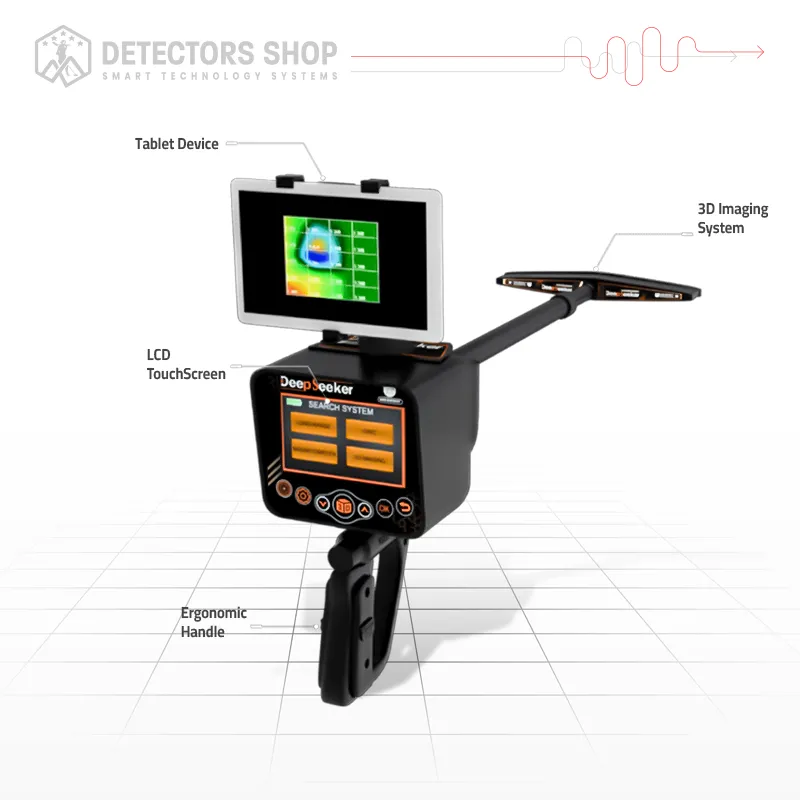
Deep Seeker
$ 5,500 -

Diamond Hunter Smart
$ 2,250 -
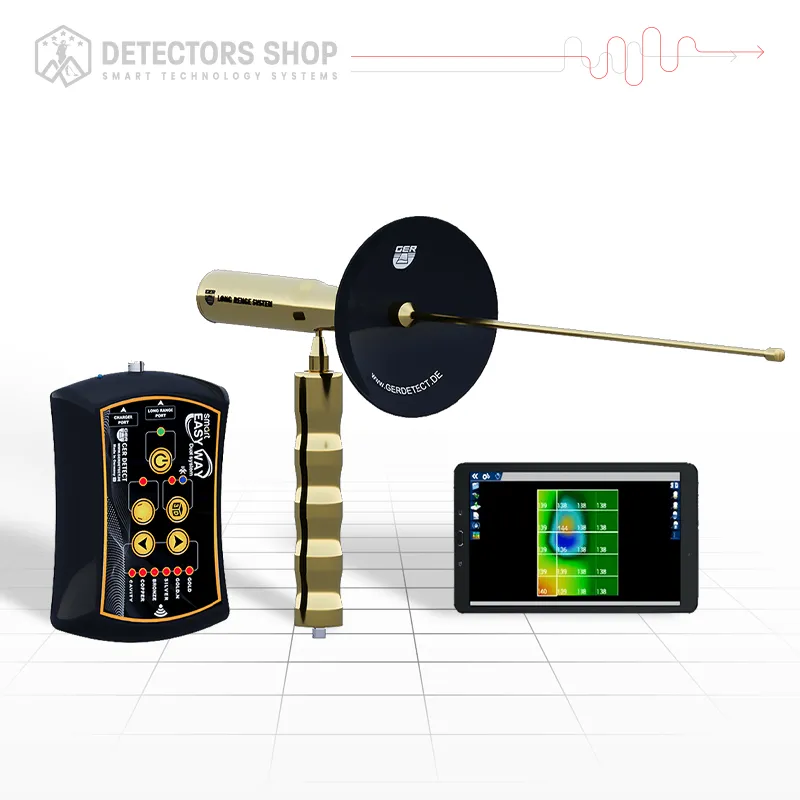
EASY WAY SMART
$ 3,750 -
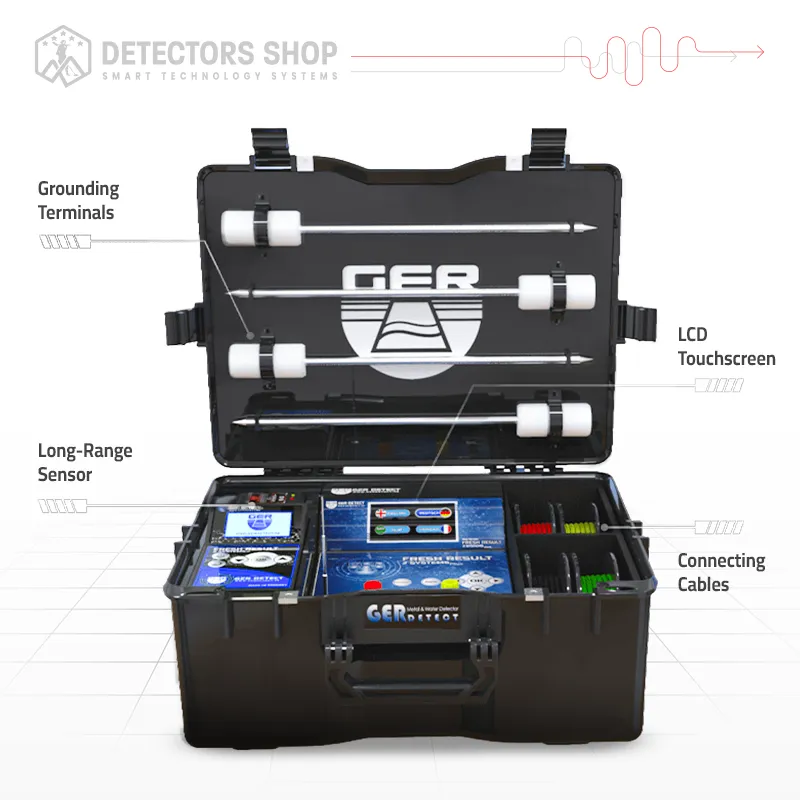
FRESH RESULT 2
$ 5,750 -
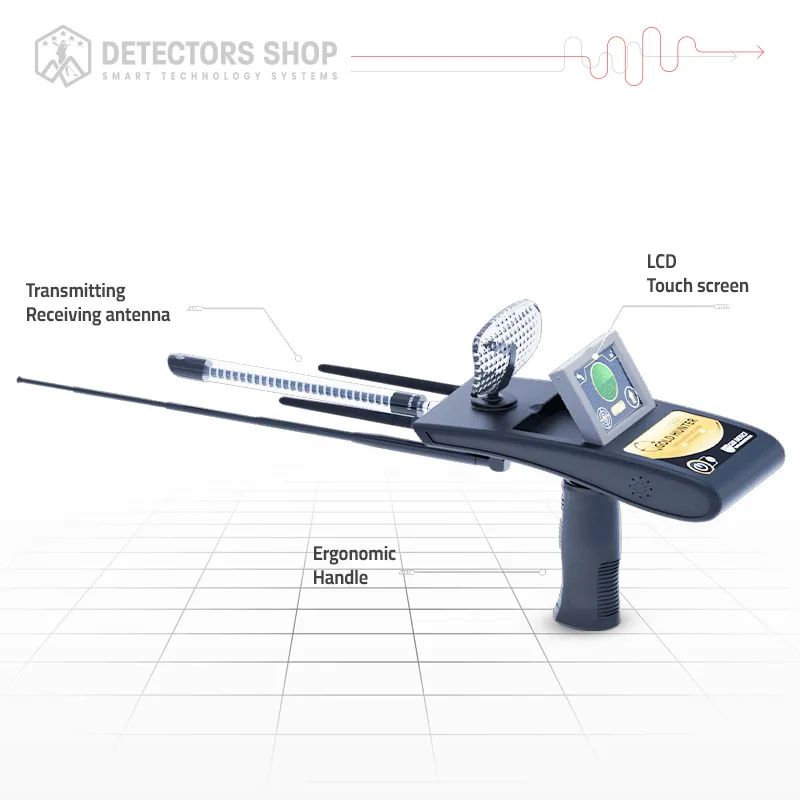
Gold Hunter Smart
$ 2,500 -
RIVER G 3
$ 7,000
